Frequently asked questions
Something on your mind? Here are the questions we hear most often.
Do I need to download an app?
No. visitus.app runs in the browser — nothing to install on your phone. You can add the dashboard to your Home Screen and open it like an app if you prefer.
Do I need a computer?
No. Setup, settings, booking approval and customer contact can all be done from your phone.
How do my customers book?
They open your booking link, pick a service and time, sign in with Google in one tap and enter their phone number. No app or password required.
Where should I share my booking page?
Anywhere customers find you.
- Instagram bio and stories
- WhatsApp profile, status and chats
- Google Business profile and your website
- QR code in your shop
How will I know when a new booking arrives?
When notifications are on, you get an alert on your phone the moment a booking comes in. On iPhone you must add the dashboard to your Home Screen from Safari first.
Do I have to approve bookings?
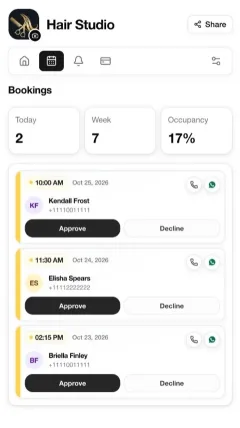
Your choice. With automatic approval, bookings are confirmed right away. With manual approval, you accept or decline each request.
Can customers cancel their booking?
Yes. They can cancel until the cutoff time you set. After that, cancellation is not allowed.
How do I contact a customer?
Each booking card has Call and WhatsApp buttons. Reach them in one tap.
What does the free plan include?
One service, one staff member and 30 bookings in your business’s local month. A visitus.app link is shown on your booking page.
What changes when I upgrade to Pro?
Service, staff and monthly booking limits are lifted, and you can hide the visitus.app link. Billing is through Stripe. If you cancel, you return to the free plan and your records are kept.